
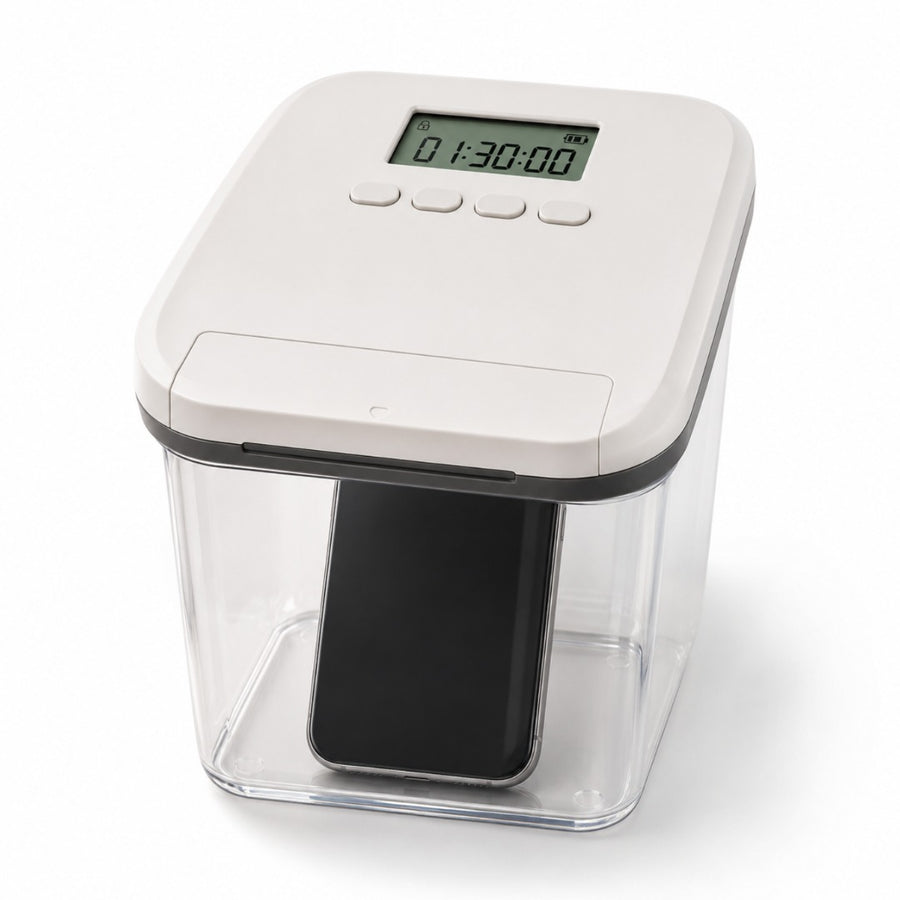
Timer Lock Box with Countdown Lid
Pick the time once. The lid keeps the limit from there.
- Stays locked until zeroSet a time and the box stays locked until the countdown ends. No second-guessing at 9 pm, because there’s nothing left to decide.
- A countdown you can readThe LCD on the lid shows days, hours, minutes and seconds, so everyone can see how long is left without asking.
- Clear on all sidesYou can see what’s inside the whole time. The kids can see their controller is still there, waiting for them.
- A combination lock tooBesides the countdown, the lid has a combination lock function, so the same box has more than one way to lock.
Why a countdown works
Make the decision once, while it’s easy.
Most limits are set at a good moment. You’re calm, it’s the start of the evening, and you mean it. Then the moment that counts shows up a couple of hours later, when you’re tired and the snack cupboard is six steps away. Nothing’s wrong with you. You’re just making the same choice again and again, and that’s a hard way to keep a rule.
A countdown means you only make it once. The phone goes in, the time goes on, and there’s no choice left until the screen hits zero. It works the same way for a family. Phones go in before dinner. When your son asks for the controller back, you don’t have to say no or explain it again. You point at the screen, and he can see how long is left.
Start with less time than you think you need. One dinner, or one hour of homework, is enough for a first try. A short limit you keep will do more for you than a long one you dread. Once the box feels normal, you can add time.
The box says no, so you don’t have to.
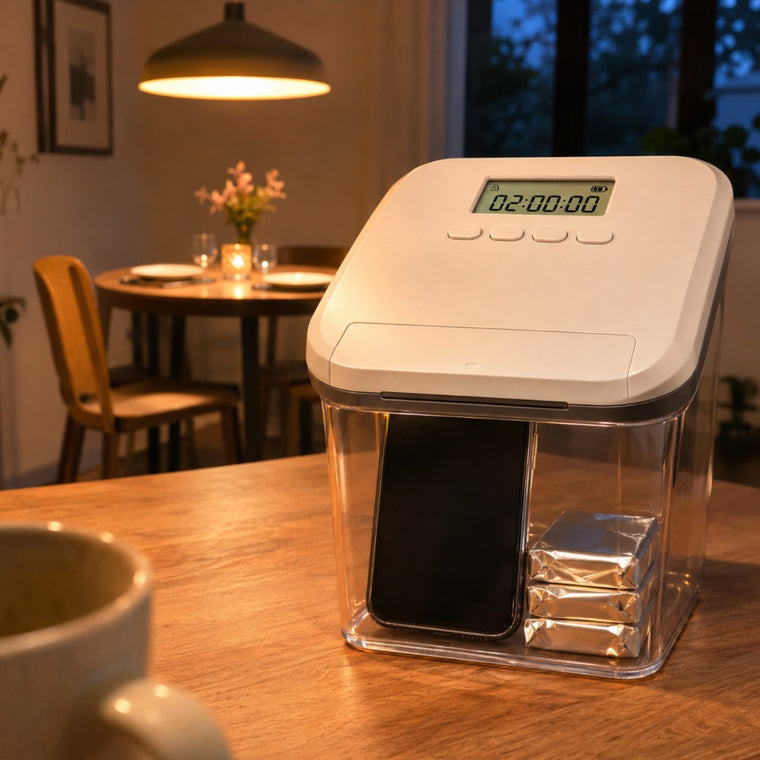
Three quick checks before the countdown starts.
First, check the time against your day. The box stays locked until the countdown ends, so think ahead before you press start. Your only car key doesn’t belong in there before the school run. If someone may need to reach you tonight, keep your phone out or set a shorter time. A locked box only helps if it fits the day you really have.
Next, check the fit, and then the spot. The outside size is 5.6 x 5.6 x 6.5 in, and the walls and lid use up part of that, so measure your phone in its case, or your controller, first. Then pick where it lives. Clear walls mean anyone nearby can see what’s in it. That’s fine for snacks or a controller on the kitchen counter. If cards are inside, use a room guests don’t go into.
Your first countdown
Pick a time you can keep
Think about when you’ll next need what’s going in. Choose a countdown that ends before then.
Fill the box
Put your phone, snacks, controller, keys or cards inside and close the white lid.
Set the countdown
Use the 4 buttons on the lid to set the time. The LCD counts in days, hours, minutes and seconds.
Check the battery icon
The box runs on battery power, and the screen shows a battery icon. Look at it before a long countdown.
Wherever the same rule keeps slipping
The dinner table where phones keep showing up. The desk at homework time. The kitchen, when the snack plan falls apart after 8 pm. A Sunday you want to spend offline. If you keep making the same rule and it keeps sliding, this gives it a lid and a clock. Give it a few evenings, and if it isn’t for you, send it back inside 30 days. Shipping to the US, Canada, the UK, Australia and New Zealand is free and tracked, and most orders arrive 1 to 3 weeks after ordering.
Your evenings have a plan. Your doors and windows can too.
The countdown box looks after the rules inside your home. The next layer looks after the way in. The TremShield Alarm goes on a door or window and sets off a 125 dB siren the moment it’s forced, with no Wi-Fi and no subscription. One alarm is $29.99; six are $99, which is $16.50 per alarm (Save $80.94).
See the alarm
Questions, answered calmly
Stay one step ahead
Real home-security tips, first looks at new gear, and the occasional subscriber-only deal. Unsubscribe anytime.