
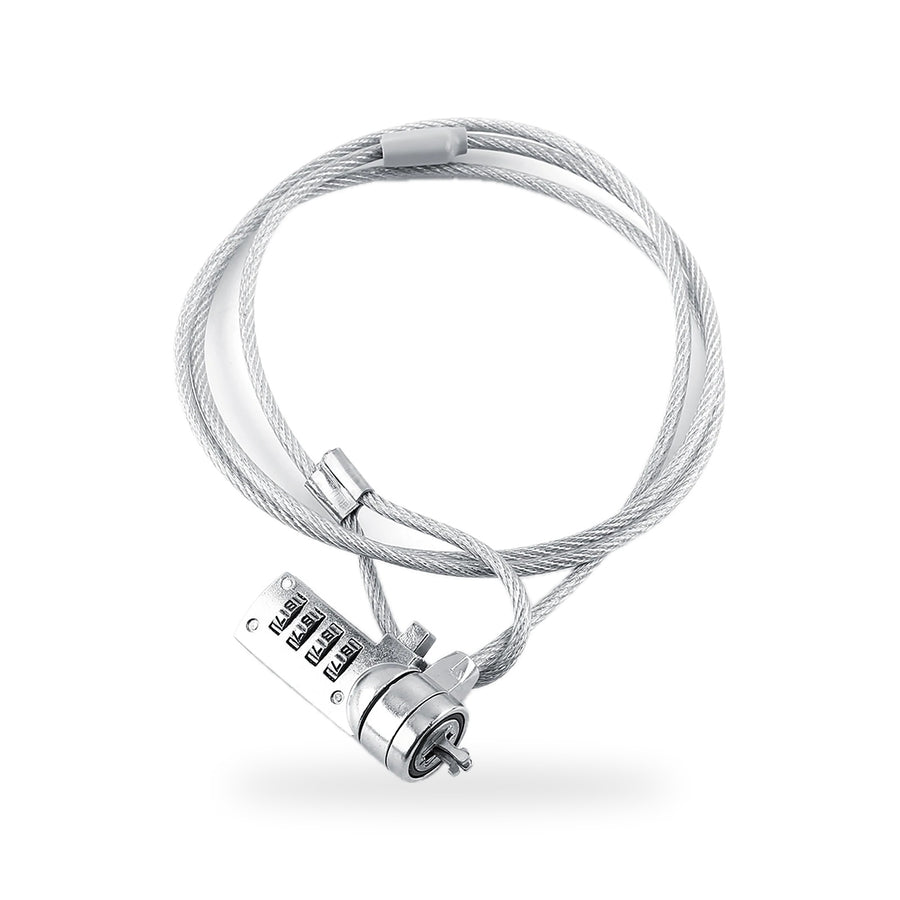
Laptop Cable Lock (4-Digit Combination)
Loop it around the desk leg, scramble the dials, and the laptop stays put.
- Stops the quick grabThe steel cable ties the laptop to a desk leg or a fixed post, so it can’t be lifted and carried off in the few seconds you look away.
- No key to loseA 4-digit combination opens it. Your code goes wherever you go, so there’s no key to misplace and nothing to charge.
- Fits the standard slotThe head fits the standard security slot found on many laptops and monitors. Look for the small slot with a padlock icon beside it.
- Loops around almost anythingWrap the cable around a desk leg, a table frame or a fixed rail, pass the head through the loop, and plug it in.
Why tie it down
Thieves don’t break in for it. They walk past it.
A laptop doesn’t need a break-in to go missing. It just gets picked up. A café table while the owner orders, a shared office after hours, a dorm room with the door open while someone runs down the hall. In each case the laptop sits in plain view, worth more than anything else nearby, and it takes one hand and a few seconds to carry away. Nothing gets broken, so nothing makes a sound.
A cable lock changes that one thing. The laptop is still in plain view, but now lifting it means dragging a desk along with it. That’s the whole idea: an opportunist wants an easy, quiet grab, and a laptop tied to furniture is neither. They move on to the bag left on the next chair.
It’s also an easy habit to keep. Wrap it once around the desk leg at home and leave it there, then plug the laptop in when you sit down. On the road, the cable coils into a bag pocket. The trade is that it only works when it’s plugged in, so the habit is the product.
Make the laptop the hard thing to take, not the easy one.
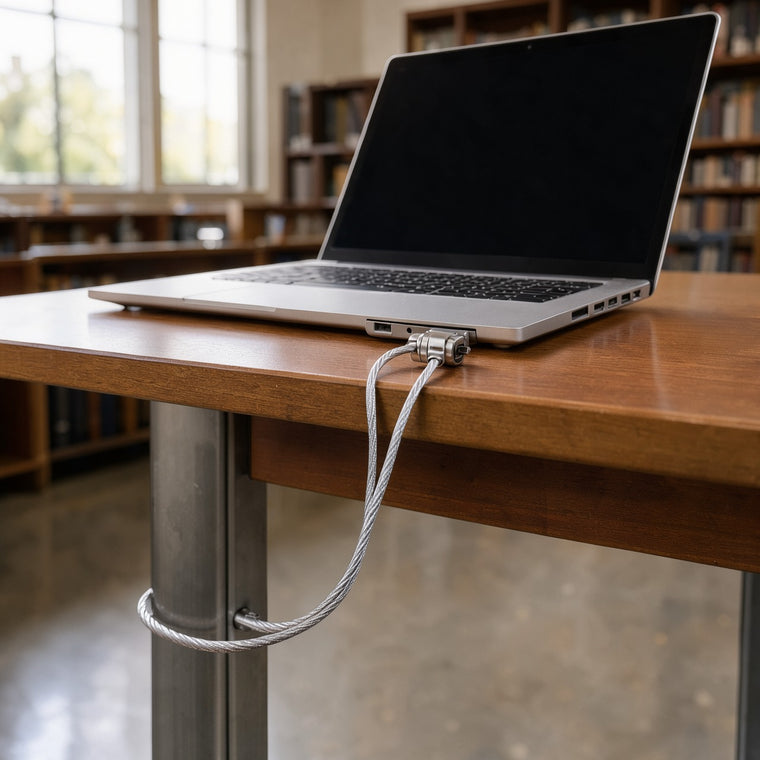
One loop at home. One coil in the bag.
At home or in the office, the cable can stay wrapped around the desk leg all the time. When you sit down, plug the head into the laptop’s slot and scramble the dials. When you leave, put in your code and unplug. It works just as well for a monitor that shares the desk, as long as it has the same slot.
On the road, the cable coils up and goes in a bag pocket. In a library, a café, a co-working space or a hotel room, find something solid that can’t be lifted: a table leg with a crossbar, a radiator pipe, a fixed rail. Loop it, pass the head through, plug it in. Your code is the only key.
Setup is finding the slot
Find the security slot
Look along the sides and back of the laptop or monitor for a small slot with a padlock icon next to it. If there isn’t one, this lock won’t fit that device.
Set your combination
Choose a 4-digit code you’ll remember and set it before the lock goes on the laptop.
Loop the cable
Wrap the cable around a desk leg or another fixed post, then pass the lock head through the loop at the other end.
Plug in and scramble
Push the head into the security slot so it locks in place, then spin the dials away from your code. Tug gently to check it holds.
Any desk you sometimes walk away from
The home office by the back door, the shared desk at work, a dorm room, a library table, a café where you need the restroom, a co-working space. It’s $19.99, far less than a new laptop, with no tools, no key and a setup that takes about a minute. If it isn’t what you just read, send it back within 30 days. Shipping is free and tracked to the US, Canada, the UK, Australia and New Zealand.
The cable covers the desk. The alarm covers the window.
The cable stops someone walking off with the laptop, but it can’t tell you when someone is forcing the window next to that desk. The TremShield Alarm is a thin stick-on alarm with no Wi-Fi and no subscription, and it fires a 125 dB siren the moment someone forces the glass or the door. One alarm is $29.99. Six are $99, which is $16.50 per alarm (Save $80.94).
See the alarm
Questions, answered calmly
Stay one step ahead
Real home-security tips, first looks at new gear, and the occasional subscriber-only deal. Unsubscribe anytime.